
Customer expectations are rising faster than most contact centers can keep up. Customers want faster answers, smoother experiences across channels, and service that feels personal—not scripted. At the same time, contact centers are dealing with remote work, new compliance rules, AI tools, and a growing number of channels to manage.
Legacy phone systems simply weren’t built for this world.
That’s why more and more organizations are moving to Contact Center as a Service (CCaaS) platform. CCaaS has quickly shifted from “a nice upgrade” to the operational backbone of modern customer service. It gives leaders the flexibility, visibility, and AI-ready foundation that today’s CX environment demands.
In this blog, we explore why contact centers are leaving legacy systems behind, how CCaaS enables better QA and CX results, and why businesses that adopt CCaaS now gain a competitive advantage that others will struggle to catch up to.
1. Legacy Systems vs. CCaaS: What Do These Terms Actually Mean?
Before diving into why contact centers are moving away from legacy systems, it helps to clearly understand what those systems are—and what CCaaS means.
A legacy contact center system is the traditional setup many companies have used for years. These systems were built mainly to handle phone calls and often rely on older technology that lives on-site or is only lightly cloud enabled. They usually require multiple tools to manage calls, quality monitoring, reporting, and customer data.
In simple terms, legacy systems are built to handle calls—not full customer experiences.
Common traits of legacy systems:
- Phone-focused (voice first, limited digital support)
- Separate tools for call recording, QA, and reporting
- Manual call reviews (often only 1–2% of calls)
- Limited visibility into the full customer journey
CCaaS, or Contact Center as a Service, is a cloud-based platform designed to manage all customer interactions, not just calls. It brings voice, chat, email, and messaging into one system and keeps all interaction data in one place.
In simple terms, CCaaS is built to manage customer conversations—across every channel.
Common traits of CCaaS platforms:
- Cloud-based and accessible anywhere
- Supports voice, chat, email, SMS, and more
- Centralized interaction data
- Designed to work with AI, Auto QA, and analytics tools
A helpful way to think about the difference:
- Legacy systems answer phones
- CCaaS supports the entire customer experience
This foundation is what makes modern capabilities—like Auto QA, predictive CSAT, and real-time insight—possible. And it’s also why so many contact centers are now rethinking their legacy environments.
2. What’s Forcing Contact Centers Off Legacy Systems
Legacy systems simply can’t keep up with modern customer expectations. They were built for a time when customer service meant answering phone calls—not managing six channels, coaching agents in real time, or running AI models across thousands of interactions.
Legacy systems also create organizational bottlenecks that slow down innovation. Simple updates take months instead of days, integrations require expensive custom development, and reporting tools often rely on outdated data. These limitations make it harder for leaders to spot performance trends, adapt to evolving customer expectations, or justify CX investment.
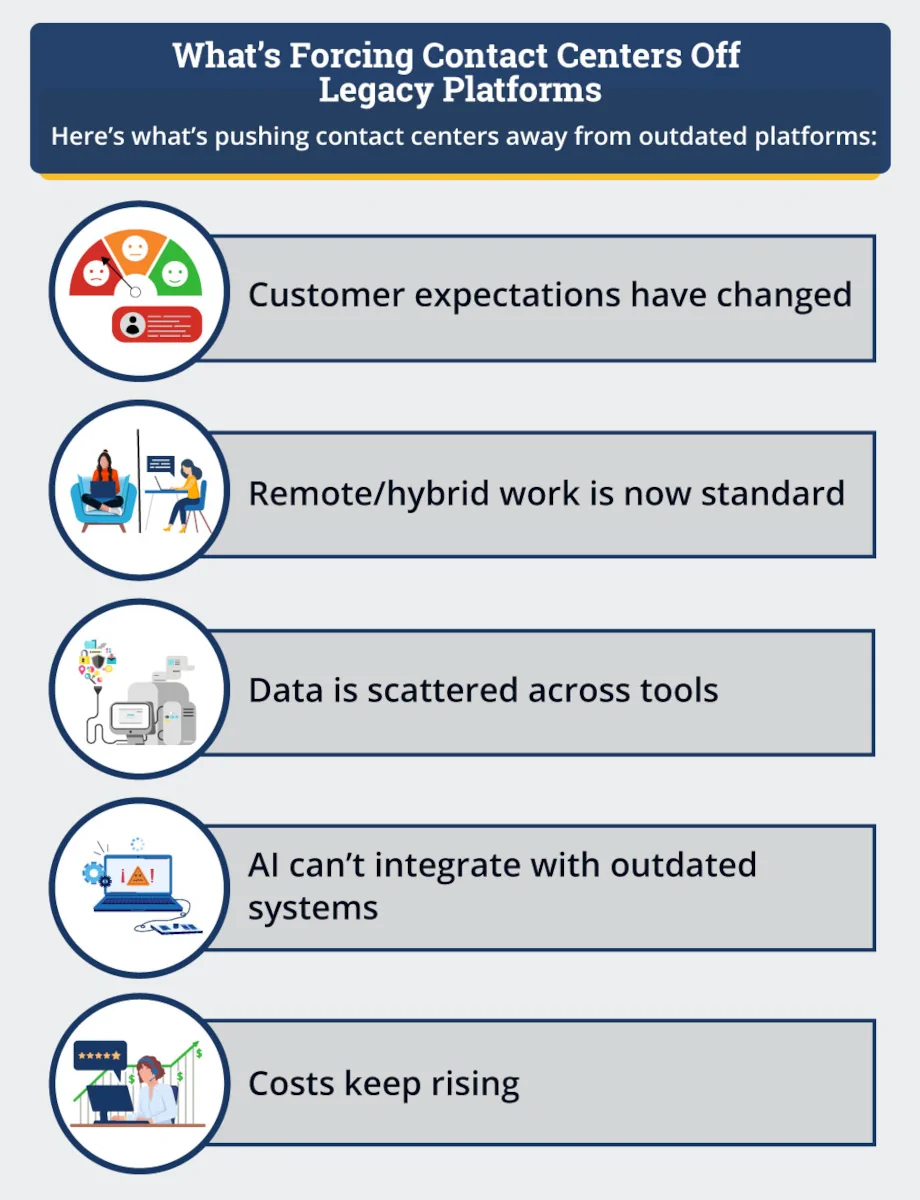
Here’s what’s pushing contact centers away from outdated platforms:
• Customer expectations have changed
Customers expect fast answers, smooth handoffs between channels. Legacy systems weren’t built to support connected, omnichannel experiences, which leads to frustration and inconsistent service.
• Remote/hybrid work is now standard
Older platforms were designed for on-site teams. Supporting remote agents often requires workarounds that create reliability issues, increase IT effort, and drive up costs.
• Data is scattered across tools
When systems don’t talk to each other, reporting becomes inconsistent and incomplete. Leaders struggle to see the full customer journey, and agents lack the context needed to resolve issues quickly.
• AI can’t integrate with outdated systems
Capabilities like Auto QA, predictive CSAT, speech analytics, and smart routing depend on cloud-based data access. Legacy systems don’t provide the structure or connectivity AI tools need to work effectively.
• Costs keep rising
Maintaining hardware, licenses, and on-premise infrastructure is expensive. Over time, these ongoing costs limit flexibility and make it harder to invest in performance improvement.
CCaaS addresses each of these challenges by providing continuous updates, stronger integrations, and scalable infrastructure.
3. What Makes CCaaS Different from Cloud PBX and UCaaS?
Cloud PBX, UCaaS, and CCaaS are often grouped together, but they are built for very different jobs.
A cloud PBX is mainly a phone system. It handles inbound and outbound calls and replaces on-premise phone hardware—but it doesn’t manage customer journeys or service quality.
UCaaS (Unified Communications as a Service) is designed for internal teamwork. It supports employee chat, video meetings, and messaging so staff can communicate with each other more easily.
CCaaS, on the other hand, is built specifically for customer service. It manages every customer interaction—calls, chat, email, messaging—and keeps all of that data connected in one system.
What makes CCaaS different is that it’s not just about communication—it’s about experience. CCaaS supports:
- Skill-based routing
- Omnichannel support
- AI-powered QA and analytics
- CRM and ticketing integrations
- Real-time dashboards
A simple distinction:
UCaaS helps employees talk to each other, CCaaS helps your company talk to customers.
4. How CCaaS Enables Powerful Auto QA Capabilities
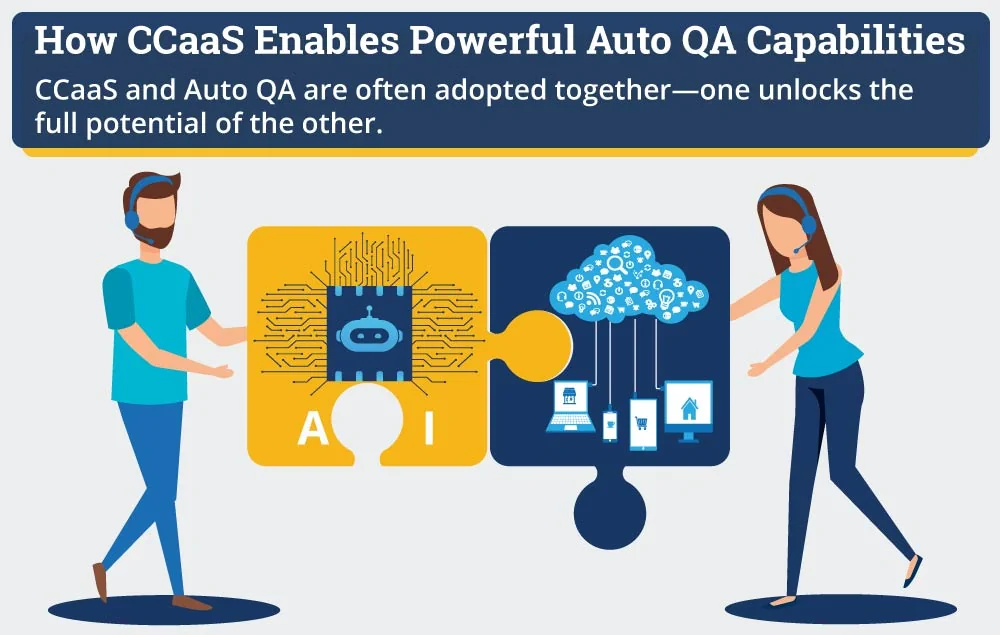
CCaaS and Auto QA work best together. Because CCaaS platforms store interactions in the cloud, they make it possible to evaluate every customer conversation, not just a small sample.
In traditional environments, QA teams review only 1–2% of calls due to time and cost constraints. With CCaaS, AI-powered Auto QA tools can analyze 100% of interactions, giving leaders a much more accurate picture of agent performance and customer experience.
This broader visibility changes how QA is used. Instead of relying on spot checks, supervisors can see consistent patterns across agents, teams, and time periods. That makes it easier to identify what’s working, what’s not, and where coaching will have the biggest impact.
This is why CCaaS and Auto QA are often adopted together—one unlocks the full potential of the other.
5. CCaaS as the Foundation for Omnichannel Customer Experience
Today’s customers move between channels easily. They may start in chat, switch to a call, and follow up by email—all for the same issue. CCaaS makes this possible by keeping customer history connected across every interaction.
With legacy systems, each channel often operates in isolation. That forces customers to repeat themselves and makes it harder for agents to understand the full context. CCaaS removes these gaps by creating a single, shared view of the customer journey.
This connected experience benefits both customers and agents. Customers feel understood and supported, while agents can resolve issues faster because they have all the relevant information in front of them.
For leaders, omnichannel support also improves measurement. When interactions are connected, QA, CSAT, and resolution performance can be evaluated across the entire journey—not just within one channel—leading to more accurate insight and better decision-making.
6. Where CCaaS Powers Predictive CSAT & Real-Time Insight
Predictive CSAT used to sound futuristic. Today, it’s a practical tool—and CCaaS makes it possible.
By centralizing interaction data, CCaaS allows tools like mySQM™ Auto QA to analyze the behaviors that influence customer satisfaction. AI models can detect patterns tied to tone, clarity, empathy, and resolution—often before dissatisfaction shows up in survey results.
AI models can detect patterns tied to tone, clarity, empathy, and resolution—often before dissatisfaction shows up in survey results.
SQM’s CCaaS-enabled Auto QA capabilities are designed to improve CSAT by showing leaders where service quality breaks down—and where targeted improvements will have the greatest impact.
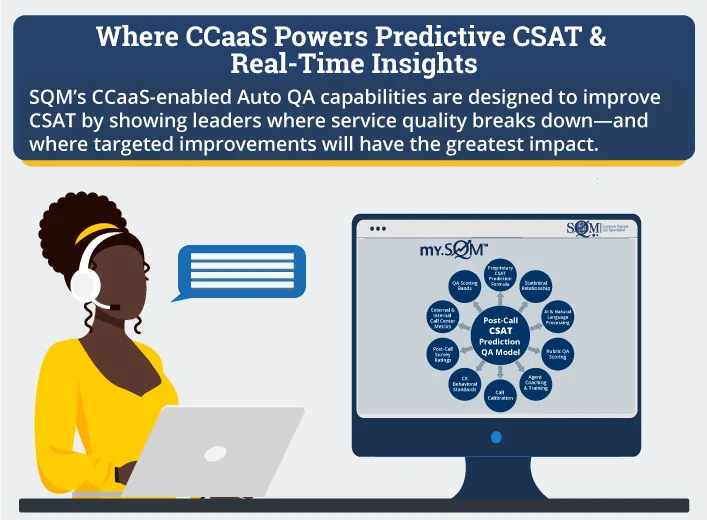
CCaaS turns predictive CSAT from a lagging metric into a real-time management tool.
7. Cost, Scalability & Security: Why CCaaS Makes Financial Sense
Legacy systems often come with hidden costs: hardware maintenance, upgrade cycles, IT support, and limited flexibility when demand changes. Over time, these costs add up and restrict how quickly teams can adapt.
CCaaS removes much of that burden. Because it’s cloud-based, there’s no on-site hardware to maintain, and updates happen automatically. Contact centers can scale up during busy periods and scale back when demand slows—without paying for unused capacity.
Security is also easier to manage. Instead of relying on internal teams to keep systems compliant, CCaaS platforms include built-in security, compliance updates, and monitoring.
In simple terms, CCaaS:
- Lowers long-term operating costs
- Adjusts easily as volume changes
- Reduces IT complexity
- Keeps security current without manual effort
8. Who Should Migrate Now—and Who Can Wait
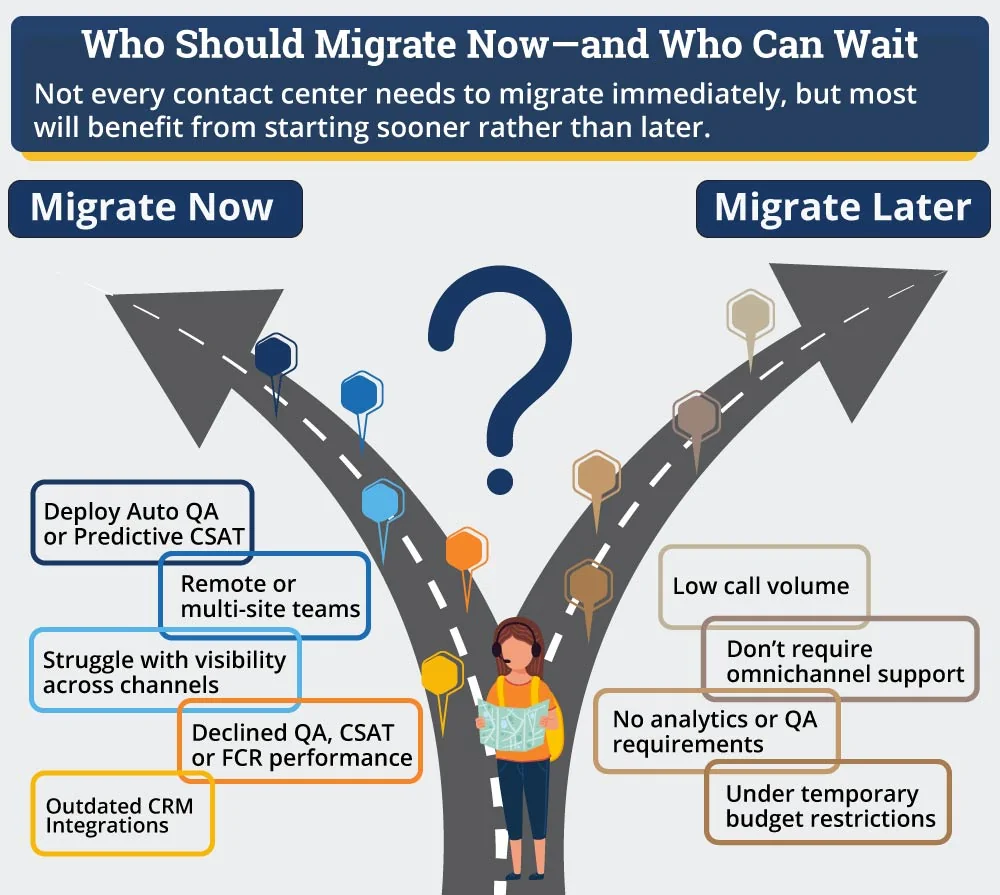
Not every contact center needs to migrate immediately, but most will benefit from planning sooner rather than later.
Organizations that rely heavily on customer experience, data visibility, and service quality improvement tend to see the biggest gains from CCaaS early. These teams often struggle with disconnected systems, limited insight, or outdated tools that hold back performance.
Some contact centers may be able to wait in the short term—especially those with low survey volume or very simple service models. However, even these teams should start building a roadmap now—because customer expectations are already ahead of legacy capabilities.
You should migrate now if you:
- Want to deploy Auto QA or predictive CSAT
- Have remote or multi-site teams
- Struggle with visibility across channels
- Rely heavily on customer surveys to assess experience
- Have flat or declined QA, CSAT, or FCR performance
- Use outdated routing or CRM integrations
You can wait (short-term) if you:
- Have very low call volume
- Don’t require omnichannel support
- Have no analytics or QA requirements
- Are under temporary budget restrictions
CCaaS Is More Than Technology—It’s the CX Backbone
CCaaS has become essential because it solves problems legacy systems were never designed to handle.
It connects interaction data, enables AI-driven insight, supports Auto QA and predictive CSAT, and allows contact centers to deliver consistent service across every channel.
As customer expectations continue to rise and AI becomes central to CX improvement, CCaaS is no longer optional. It’s the foundation that allows contact centers to operate efficiently, improve continuously, and deliver high-quality experiences at scale.